Showing posts with label UI. Show all posts

Wednesday, February 23, 2011

A Hand-Coded Designer CSS UI Kit


Web UI sets have been around for ages, but this takes things a step further. This free UI Kit is coded by hand using HTML5 and CSS3 so you can easily drop these elements into any project you’re working on. This code is made to take advantage of modern browsers and to degrade gracefully in older versions of internet explorer, so no matter what your client or visitor is using they will be see an excellent design.
Most major web elements are included—buttons, tables, headings, etc—and each of these is done in six color variations. Just pick the element you need, insert a few lines of CSS, and copy the HTML elements into your document. Full preview and instructions are below.

http://medialoot.com/blog/a-hand-coded-designer-css-ui-kit/

Wednesday, January 19, 2011

Embedded help system

Introduction

Embedded Help System is "providing help where help is needed" concept that can be easily integrated into web interface. The point is to offer help to user in their working interface and actual situation.

Jquery plugin

Jquery E-Help is plugin for procedural("How to ...") web user interface help and it's easy to integrate into any web interface that supports Jquery. Useful for all web applications, CMS and E-commerce systems.
Try jquery.eHelp here and be free to download, use and modify...

Contribute

Contribute to embedded help concept and develop more useful scripts that can be easily integrated into web interface.

http://embedded-help.net/home

Sunday, September 19, 2010

imgAreaSelect

imgAreaSelect is a jQuery plugin for selecting a rectangular area of an image. It allows web developers to easily implement image cropping functionality, as well as other user interface features, such as photo notes (like those on Flickr).
Plugin features:
  • Highly configurable
  • Customizable with CSS styling
  • Handles scaled images
  • Keyboard support for moving and resizing the selection
  • Supports callback functions
  • Provides API functions for easier integration with other application components
  • Lightweight — the packed version is less than 8KB
The plugin works in all major browsers, including Firefox 2+, Opera 9.5+, Google Chrome, Safari 3+, and Internet Explorer 6+.

http://odyniec.net/projects/imgareaselect/

Tuesday, July 20, 2010

Dive Into Dijit

One huge feature that sets the Dojo Toolkit apart from other JavaScript libraries is its UI component system: Dijit. A flexible, comprehensive collection of Dojo classes (complemented by corresponding assets like images, CSS files, etc.), Dijit allows you to create flexible, extensible, stylish widgets. To learn how to install, configure, and use basic Dijits within your web application, keep reading!
Dijit Widgets
http://www.sitepen.com/blog/2010/07/12/dive-into-dijit/

Wednesday, April 21, 2010

Greenhouse

Greenhouse: Graphical Interface Builder for building blazing fast native-style applications using SproutCore.

So What, Everyone Has a Interface Builder…

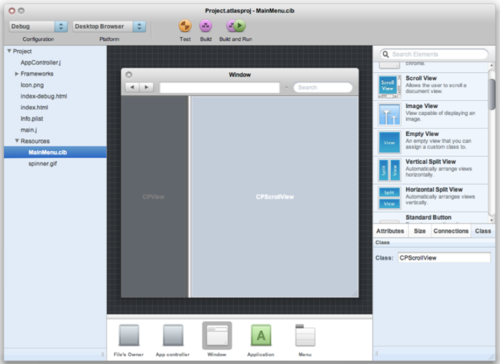
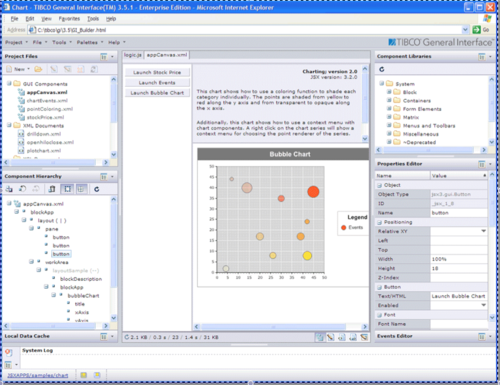
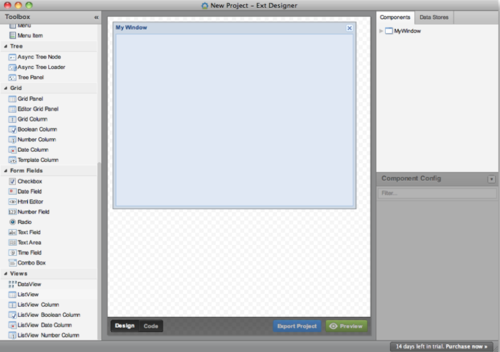
While this may be true, no one has really innovated in this space for 20 years. They all seem to look the same. Here is a small sample of them:

Interface Builder
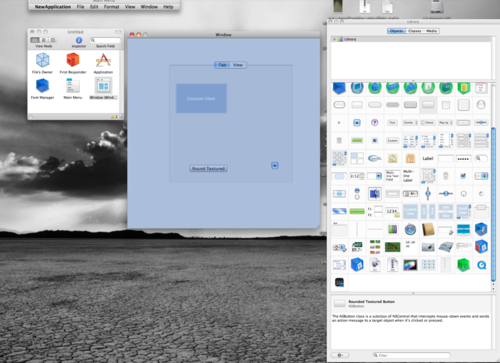
IB

Atlas

atlas

TIBCO Interface

TIBCO

Ext-JS Builder

extjs
So these are good, but they all have the same problem.
If we are to build beautiful web applications, we can’t do it with a cluttered workspace. We need a workspace for creativity, but these interfaces are cluttered with controls and only give you a small window to see your actual content!
So what can we innovate this space? How do we turn these cramped UIs in to a place where we can create some awesome web applications? Here are the steps that we took:

Clean Up the UI

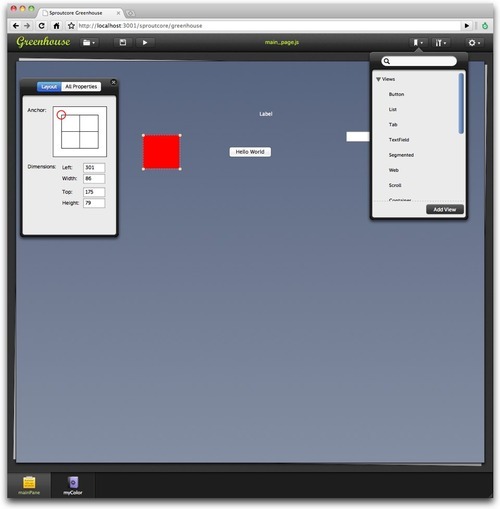
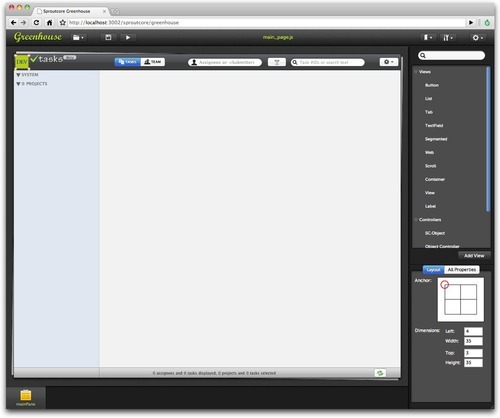
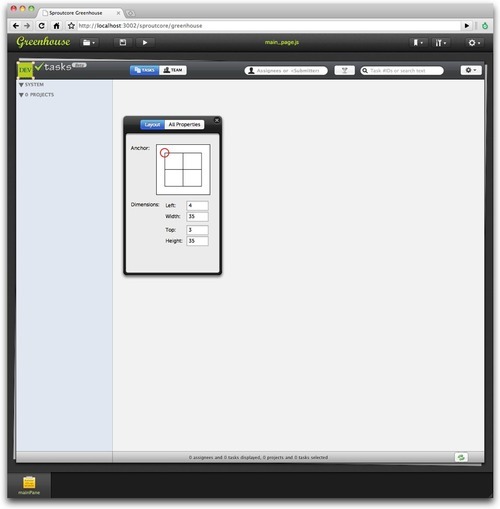
First, we cleaned up the interface. We move the list of components and inspectors to picker panes that can be torn off and docked in the traditional interface builders.
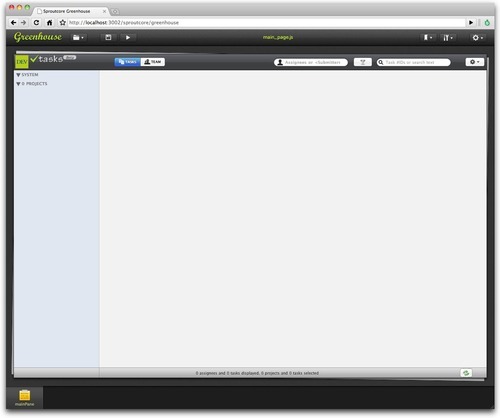
clean
greenhouse-1
greenhouse-2
In this way, we maximize the workspace. We move as much as possible out of the way so you can focus on your content. This is also a true WYSIWYG editor.

Solving the Blue Box Problem

Most production apps are built from custom views developed for the app. The problem is most interface builders can’t show you these custom views so they draw a blue box and leave it to your imagination.
We are all busy people. Most of us don’t have designers that can build custom mockups of views to show us what our UI will look like. Also, these designs change so much that is a major feat to keep up to date if you do have a designer. It is a hugh waste of time. So what you are forced to do is actually not have your custom views styled in your UI builder and it looks like this:
blue box
The SproutCore team decided the best way to solve this was to leverage the power of JavaScript. Rather than load a data file, Greenhouse actually loads your entire application in an iframe. Your actual application is loaded in a ‘suspended’ design state so that you can actually see your custom views as you have built them. They will update and look exactly like they would in the code.
This is an amazing time saver for you. It can help you actually build amazing user interfaces. This is what it looks like with a large application with a lot of custom views. It looks exactly like it does in real life as if you were using it!
tasks
Oh, and one more thing: Greenhouse’s file format is actually Javascript built off of the 1.0 API. If you have a Sproutcore App that is built with SC.Pages, your pages will automatically load into Greenhouse will little to no effort.

OK, That’s nice, but what is the catch?

Well, most interface builders cost lots of money. Like $100, $200 and even more. Some will even charge you for their beta releases.
We on the SproutCore Team believe that a UI designer is a fundamental tool for any framework that is worth it’s salt. So we have decided to build Greenhouse into SproutCore - entirely free. We want to give this away because its the right thing to do.

Cool! How do I get it?

Well, that’s the easy part. Greenhouse is currently built directly into Sproutcore with some really easy steps to get it:
git clone git://github.com/sproutit/sproutcore-abbot.git abbot
cd abbot
mkdir frameworks
cd frameworks
git clone git://github.com/sproutit/sproutcore.git
cd ../..
And then from your Sproutcore project directory:
<path_to>/abbot/bin/sc-server
Now all you have to do is open: http://localhost:4020/sproutcore/greenhouse you should get the App Viewer:
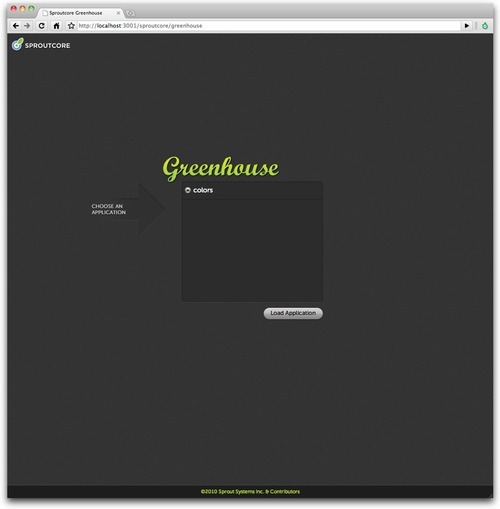
app viewer
Note: If you use a custom build of SproutCore (something in frameworks/sproutcore), you will need to rebase to the Top-Of-Tree (TOT) to make sure you have all the code to run your application in Greenhouse.

http://blog.sproutcore.com/post/535950751/introducing-greenhouse

Saturday, December 19, 2009

qooxdoo

  • About
    qooxdoo (pronounced [’ku:ksdu:]) is a comprehensive and innovative framework for creating desktop-style web applications, often called rich internet applications (RIAs). Leveraging object-oriented JavaScript allows developers to build impressive cross-browser applications. No HTML, CSS nor DOM knowledge is needed. qooxdoo includes a platform-independent development tool chain, a state-of-the-art GUI toolkit and an advanced client-server communication layer. It is Open Source under an LGPL/EPL dual license.
  • Framework
    qooxdoo is entirely class-based and tries to leverage the features of object-oriented JavaScript. It is fully based on namespaces and does not extend native JavaScript types to allow for easy integration with other libraries and existing user code. Most modern browsers are supported (e.g. Firefox, Internet Explorer, Opera, WebKit/Safari) and it is free of memory leaks. It comes with a comprehensive API reference, that is auto-generated from Javadoc-like comments and from the syntax tree representing the code. The fast and complete JavaScript parser not only allows doc generation, but is an integral part of the automatic build process that makes optimizing, compressing, linking and deployment of custom applications very user-friendly. Internationalization and localization of applications for various countries and languages is a core feature and easy to use. more ...
  • GUI Toolkit
    Despite being a pure JavaScript framework, qooxdoo is quite on par with GUI toolkits like Qt or SWT when it comes to advanced yet easy to implement user interfaces. It offers a full-blown set of widgets that are hardly distinguishable from elements of native desktop applications. Full built-in support for keyboard navigation, focus and tab handling and drag & drop is provided. Dimensions can be specified as static, auto-sizing, stretching, percentage, weighted flex or min/max or even as combinations of those. All widgets are based on powerful and flexible layout managers which are a key to many of the advanced layout capabilities. Interface description is done programmatically in JavaScript for maximum performance.

    No HTML has to be used and augmented to define the interface. The qooxdoo developer does not even have to know CSS to style the interface. Clean and easy-to-configure themes for appearance, colors, borders, fonts and icons allow for a full-fledged styling that even supports runtime switching.

  • Ajax
    While being a client-side and server-agnostic solution, the qooxdoo project does include complete implementations of RPC servers (currently Java, PHP, Perl, Python) to demonstrate some of its advanced client-server communcation. An abstract transport layer supports queues, timeouts and implementations via XMLHttpRequest, Iframes and Scripts. Like the rest of qooxdoo it fully supports event-based programming which greatly simplifies asynchronous communication.
http://qooxdoo.org/

Friday, June 26, 2009

scripty2

The alpha of scripty2 is out, please head to http://scripty2.com to see the demos and grab a copy.

Also comes with on and offline documentation (probably the most requested feature!), courtesy of http://pdoc.org.

This first release focuses almost exclusively on the complete rewrite of the effects engine, which is now much more flexible and allows for some pretty nifty tricks (but see the demos!).

Note it depends on Prototype 1.6.1_rc3 (a development copy and a minified version are included with the scripty2 download).

Also note that the API is not final yet, and it is not 100% compatible with the old effects API, major changes include:
  • Namespacing: now effects are called in this format: new s2.fx.Morph (...)
  • Reusable effects: need to call .play() on the effects instance, can .cancel() and .finish()
  • Default duration is now 0.2 secs
  • Transitions are much more versatile
If you use effects in the preferred $('element_id').morph() format, this still works and is encouraged.

A more thorough article and tutorial are forthcoming, will post once it's out.

Please discuss this alpha release on the new group: http://groups.google.com/group/scripty2

Friday, February 6, 2009

NOBODY KNOWS SHOES

Shoes is a cross-platform mini-gooey toolkit for the Ruby programming language written _Why. I installed Shoes on an Ubuntu box ran with it (bad pun intended).

Let’s move from puns to code. A simple Shoes application is wrapped around the following piece of code.

  1. Shoes.app :height => 250, :width => 200 do
  2. end

As you can see, a Shoes application is simply a Ruby block. You can pass in a hash or arguments with the values for the window’s default height and width. If you save the above piece of code as Appy.rb you can run it from the Shoes installation directory by running the following command.

./shoes Appy.rb

If you run the above application it simply opens a empty application window. An empty window is pretty much useless. An GUI application needs buttons and text fields to be of practical use. Lets add two buttons to our application that when pressed print out an informational bit of text to the console.

  1. Shoes.app :height => 200, :width => 200 do
  2. button "Button One" do
  3. puts "Button One Pressed"
  4. end
  5. button "Button Two" do
  6. puts "Button Two Pressed"
  7. end
  8. end

When working with soft gooeys the second thing one needs to learn after how to add a button is how to layout it out. As of this writing (Release 117), Shoes provides two layout managers, Stack and Flow. Stack lays out your components from top to bottom. The Flow layout container lays out UI widgets from left to right. Building on top of our Shoes application the following code layouts out the two buttons using the Stack cointainer with a 10 pixel margin.

  1. Shoes.app :height => 200, :width => 200 do
  2. stack :margin => 10 do
  3. button "Button One" do
  4. puts "Button One Pressed"
  5. end
  6. button "Button Two" do
  7. puts "Button Two Pressed"
  8. end
  9. end
  10. end

To add a simple text field just call the text field with the default text value.

  1. Shoes.app :height => 200, :width => 200 do
  2. stack :margin => 10 do
  3. button "Button One" do
  4. puts "Button One Pressed"
  5. end
  6. button "Button Two" do
  7. puts "Button Two Pressed"
  8. end
  9. text "Text Field"
  10. end
  11. end

Here is how the above code renders.

Running With Shoes

I would be a bit more practical if we can update the text field based on some condition, say when a button is pressed. Since we need to reference the text field in the code block for each button we need to have a variable for it. Also, instead of printing text to the console, we will display it in the text field.

  1. my_text_field = nil
  2. Shoes.app :height => 200, :width => 200 do
  3. stack :margin => 10 do
  4. button "Button One" do
  5. my_text_field.replace "Button One Pressed"
  6. end
  7. button "Button Two" do
  8. my_text_field.replace "Button Two Pressed"
  9. end
  10. my_text_field = text "Text Field"
  11. end
  12. end

As you can see, you can get started writing Shoes GUI applications fairly quickly. But as mentioned earlier, Shoes is a mini-GUI toolkit that is still under development. _Why has mentioned that he intends to keep Shoes small. From what I can gather from sample applications and the online code repository Shoes provides additional widgets such as an edit_line, edit_box, and list_box. But I was not able to find any information regarding tabs, check boxes, radio boxes, or trees.

In the next installment of Running with Shoes, I’ll go over it’s 2D and animation capabilities.

http://www.juixe.com/techknow/index.php/2007/08/27/running-with-shoes-a-mini-gui/
http://sergiosantos.info/2007/8/shoes-a-ruby-gui-toolkit
Download "Nobody knows Shoes"

Wednesday, February 4, 2009

Designing Web Interfaces with Bill Scott and Theresa Neil

Bill Scott presented Designing Web Interfaces, a slideshow based on core items from his book (co-authored by Theresa Neil).

There are some really interesting posts on the site, such as 30 Essential Controls. Theresa has been pinging the major frameworks and will be posting a matrix of coverage by the various frameworks. But more generally it is a nice checklist of controls that can liven up an interface.

http://ajaxian.com/archives/designing-web-interfaces

Tuesday, November 11, 2008

MochaUI. A web applications user interface library

MochaUI is a web applications user interface library built on the Mootools JavaScript framework.

Uses:

  • Web Applications
  • Web Desktops
  • Web Sites
  • Widgets
  • Standalone Windows and Modal Dialogs
http://mochaui.com/